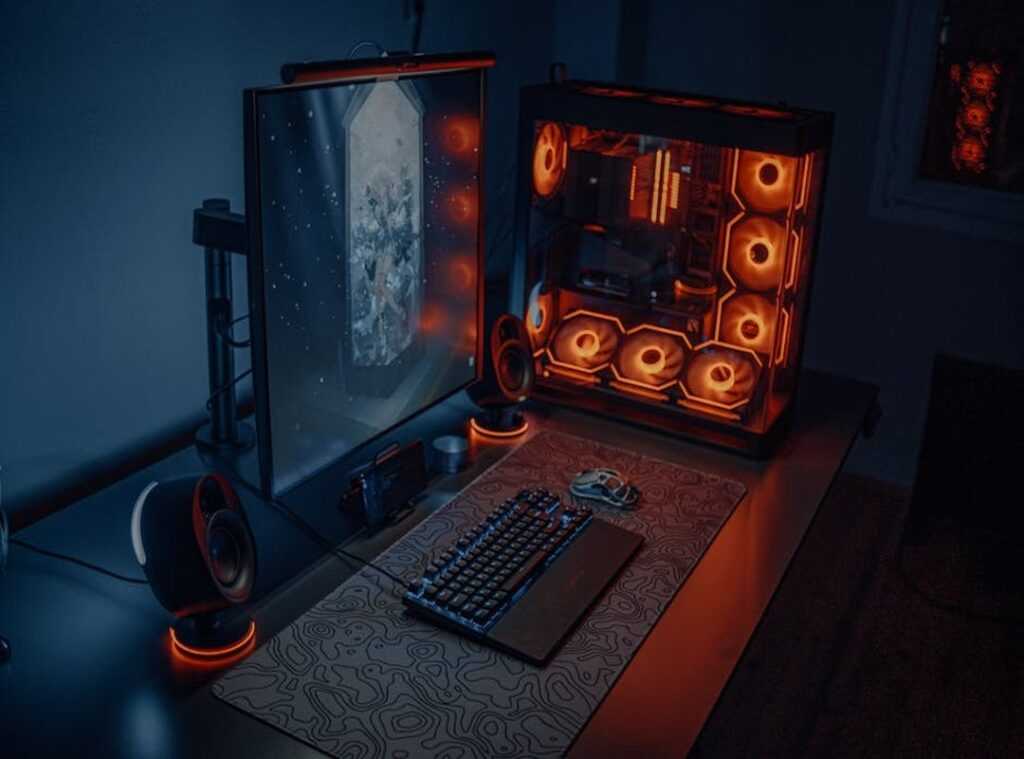
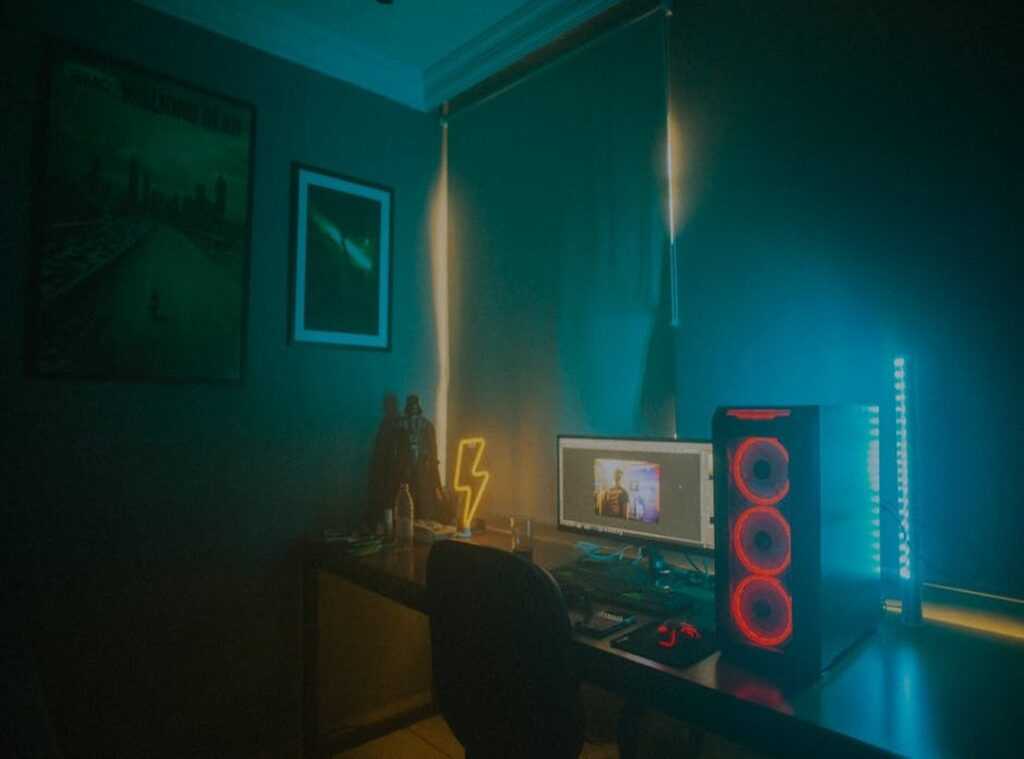
Ever had a game crash because of a sudden frame drop? Or struggled to find your game launcher on a cluttered desktop? You’re not alone.
We gamers know the frustration of endless tweaking and organizing for that smooth session.
This guide is your solution. It’s all about mastering gaming space organization. From your PC’s digital guts to the physical setup of your desk, we’ll cover it all.
I’ve been there, sorting files for hours, just like you.
You need a clear plan. One that cuts through chaos and bottlenecks, turning your space into a command center. Trust me, I’ve lived the grind of optimizing.
This isn’t just another list of tips. It’s a complete roadmap to transform your gaming environment. Ready to dive into smooth, immersive play?
Let’s get started.
Gaming Environment Management: Your Secret Weapon
Gaming environment management isn’t just about cleaning up. It’s about maximizing gaming setup performance. Think of it like an esports player’s setup or a race car’s pit crew.
Everything is tuned for peak performance. Every detail counts.
But what exactly is it? It’s a plan. A way to raise your gaming space organization to a whole new level.
It’s about taking control, reducing frustration, and getting more out of your games.
Let’s break it down. First, there’s the Digital Area. Your PC’s software must be spotless and fast.
Next, the Modding Workshop. Custom content should boost, not hinder. Lastly, the Physical Sanctuary.
Your desk and room need to be uncluttered.
Got it? Each piece plays a role. Together, they create a smooth experience.
No more lag, no more clutter. Just you and the game. You spend more time enjoying what you love.
Curious to dive deeper? Check out this guide on maximizing gaming setup performance. Trust me, getting this right is a game-changer.
It’s not just about playing; it’s about playing at your best. Ready to take control of your gaming environment? You should be.
The Digital Deep Clean: Optimizing Your PC for Peak Performance
Let’s talk about Driver Discipline & Software Updates. I can’t stress this enough: keeping your graphics drivers up-to-date is non-negotiable. Whether you’re rocking NVIDIA or AMD, those updates are the first step toward a stable machine.
It’s like fixing a leaky roof before it rains. And, don’t get me started on Windows updates. Ignoring them is like driving without checking your mirrors.
You just don’t.
Next up, Banishing Background Bloat. Ever boot up your PC and wonder why it’s slower than Grandma on dial-up? It’s probably those sneaky programs launching in the background.
Open Task Manager and head to the Startup tab. You’ll find a list of culprits. Disable the ones you don’t need.
Your PC will feel lighter and snappier. Trust me, I’ve been there. Slashing unnecessary startups is like putting your PC on a diet.
Now, onto In-Game Settings Mastery. All those fancy presets are tempting, but they’re not tailored for you. Shadows, anti-aliasing, textures.
These can make or break performance. Shadows, for example, eat up resources. Lower them for better FPS.
Anti-aliasing smooths out the jagged edges but can be a resource hog too. Customize settings to strike the balance between eye candy and performance. It’s like fine-tuning a guitar (or, you know, modding a game).
Finally, to Strategic Storage Solutions. It’s simple: SSDs are fast, HDDs are not. Games load quicker on an SSD, shaving down times drastically.
I install my OS and favorite games on an SSD for this reason. It’s like having VIP access to your games. Less-played titles and media?
Toss them on an HDD. This plan is key for gaming space organization. Speaking of which, if you’re wondering how to simplify your setup, check out these game room storage ideas.
Pro tip: Never underestimate the power of an organized space. It can raise your gaming experience and keep your focus where it should be. On the game.
Taming the Mod Beast: A Smarter Way to Manage Game Mods
Let’s talk about the wild mess that is your “mods” folder. If you’re like me, you’ve been there. Game crashes, conflicts, and the dreaded update chaos.

It’s a nightmare. But it doesn’t have to be.
Enter mod managers. If you’re serious about modding, tools like Vortex or Mod Organizer 2 are your new best friends. These aren’t just fancy apps.
They’re lifesavers. They automate installation, sort load orders, and detect conflicts before they ruin your game. That’s right, they’re important.
Why bother with the chaos when you can have order? Mod managers simplify everything. They let you enjoy the game instead of fixing it.
It’s like having a personal assistant for your mods (minus the paycheck).
Now, let’s get practical. Here are some modding best practices:
- Always read mod descriptions and requirements. Trust me, it’s key.
- Use profiles to keep different mod lists separate. Different characters, different playthroughs? No problem.
- Learn to spot and resolve simple conflicts. It’s not rocket science.
- Always back up your save files before adding major new mods.
These tips are your ticket to a smoother gaming experience. They open up the full potential of moddable games, turning a frustrating hobby into a creative one. Who doesn’t want that?
And speaking of potential, have you checked out lighting hacks ultimate gaming? It’s a game-changer for your setup. Seriously, it makes your gaming space organization look next-level.
So, what’s stopping you? Dive into the world of mod managers and see the difference. Your gaming life will thank you.
Remember, a little organization goes a long way. Happy modding!
Crafting Your Gaming Sanctuary: Beyond the Screen
You ever sit down for a long gaming session and feel like you’re in a torture device instead of a throne? It’s all about ergonomics, my friend. Get that monitor at eye-level.
It helps you avoid that dreaded neck crane. Your chair? It needs to support you like a good friend on a bad day.
Now, let’s talk about cable chaos. You might not think tangled cables matter, but they seriously mess with airflow to your PC. And, let’s be honest, they look terrible.
And let’s not forget your keyboard and mouse. Keep them positioned to prevent wrist strain. Trust me, your future self will thank you.
My simple solution: Velcro ties or zip ties. Cheap, effective, and they bring a little peace to your gaming space organization.
Lighting can change everything. Simple ambient lighting, like a monitor light bar or RGB strips, can reduce eye strain and make your gaming world feel huge. It’s not just for looks.
It’s about making your space a true gaming sanctuary. What’s your setup like?
Your Perfect Gaming Setup
You’ve moved from chaos to control. That laggy, cluttered setup? Gone.
Now, you’ve got a streamlined, high-performance command center. A solid gaming space organization isn’t just a fix; it’s a lifestyle. This isn’t just about aesthetics.
It’s about focus and performance. You want to play the game, not fight with your environment, right?
Here’s what you do next: Pick one area from this guide. Maybe it’s cleaning your desktop or tidying cables. Start building your ultimate gaming environment today.
Control your space, control the game. Ready to level up? Make the change now.
You deserve the best.

 Ask Geneva Burnsinser how they got into platform play strategies and you'll probably get a longer answer than you expected. The short version: Geneva started doing it, got genuinely hooked, and at some point realized they had accumulated enough hard-won knowledge that it would be a waste not to share it. So they started writing.
What makes Geneva worth reading is that they skips the obvious stuff. Nobody needs another surface-level take on Platform Play Strategies, Insider Tips, Tech-Enhanced Game Mods. What readers actually want is the nuance — the part that only becomes clear after you've made a few mistakes and figured out why. That's the territory Geneva operates in. The writing is direct, occasionally blunt, and always built around what's actually true rather than what sounds good in an article. They has little patience for filler, which means they's pieces tend to be denser with real information than the average post on the same subject.
Geneva doesn't write to impress anyone. They writes because they has things to say that they genuinely thinks people should hear. That motivation — basic as it sounds — produces something noticeably different from content written for clicks or word count. Readers pick up on it. The comments on Geneva's work tend to reflect that.
Ask Geneva Burnsinser how they got into platform play strategies and you'll probably get a longer answer than you expected. The short version: Geneva started doing it, got genuinely hooked, and at some point realized they had accumulated enough hard-won knowledge that it would be a waste not to share it. So they started writing.
What makes Geneva worth reading is that they skips the obvious stuff. Nobody needs another surface-level take on Platform Play Strategies, Insider Tips, Tech-Enhanced Game Mods. What readers actually want is the nuance — the part that only becomes clear after you've made a few mistakes and figured out why. That's the territory Geneva operates in. The writing is direct, occasionally blunt, and always built around what's actually true rather than what sounds good in an article. They has little patience for filler, which means they's pieces tend to be denser with real information than the average post on the same subject.
Geneva doesn't write to impress anyone. They writes because they has things to say that they genuinely thinks people should hear. That motivation — basic as it sounds — produces something noticeably different from content written for clicks or word count. Readers pick up on it. The comments on Geneva's work tend to reflect that.