If you’re searching for the hottest gaming trends and ways to push your setup beyond stock performance, you’re in the right place. Modern gamers don’t just play—they optimize, tweak, and transform their experience with smarter configs, advanced modding techniques, and cutting-edge enhancements like ray tracing game mods that dramatically upgrade visual realism.
This article breaks down what’s trending right now in the gaming and modding space, from performance-boosting tweaks to immersive graphical overhauls and competitive play strategies. Whether you want smoother frame rates, sharper visuals, or a fully customized setup, you’ll find practical insights you can apply immediately.
Our recommendations are built on hands-on testing, deep dives into modding communities, and analysis of real-world performance results—not hype. We focus on what actually improves gameplay, stability, and immersion so you can upgrade your experience with confidence and stay ahead of the curve.
Beyond Default Settings: Unlocking True Ray Tracing Potential
Flipping RT to On isn’t the finish line—it’s the tutorial. Many argue ray tracing is a performance hog, better left disabled for competitive play. They’re not wrong about the frame hit; real-time ray tracing simulates light behavior by tracing rays per pixel, which taxes your GPU (see NVIDIA docs). But settling for defaults leaves visual depth untapped.
Instead:
- Tune reflections, global illumination, and shadows individually.
- Pair DLSS or FSR with smart upscaling.
- Explore ray tracing game mods for refined shaders.
Yes, tweaking takes effort. So does winning in practice.
Ray tracing, shortened to RT, simulates how light physically behaves. Instead of faking brightness, it calculates how rays bounce, scatter, and reflect across surfaces. That difference is what makes scenes feel believable. Many players explore ray tracing game mods.
Global Illumination
Ray-Traced Global Illumination, or RTGI, models bounced light, meaning sunlight hitting a red wall will tint nearby objects. By contrast, screen-space ambient occlusion (SSAO) only darkens creases based on what your camera sees. If it is off-screen, it does not exist, which flattens depth. Some argue SSAO is faster and good enough. However, once you notice color bleed and brightness shifts, going back feels like watching a Blu-ray on a tube TV.
Similarly, ray-traced shadows calculate light size and distance, producing soft edges that sharpen realistically. Rasterized shadows look pasted on. Finally, ray-traced reflections show mirrors on water and glass, unlike screen space reflections (SSR) that clip or smear.
Optimizing The Big Three: Lighting, Shadows, & Reflections
When tuning ray tracing, think in terms of impact per frame. Not every setting deserves Ultra.
Tuning Global Illumination
Ray-Traced Global Illumination (RTGI) simulates how light bounces between surfaces, creating realistic color bleed and depth. Low settings reduce bounce accuracy and sample count (how many light calculations happen per frame), while Ultra increases both—at a steep FPS cost.
Rule of thumb: If switching from High to Ultra costs more than 10–15% FPS for barely noticeable indoor improvement, stay on High. In fast-paced shooters, you won’t notice subtle wall bounce differences (no one admires indirect lighting mid-firefight).
• Use Ultra for slow, cinematic games.
• Use Medium/High for competitive play.
Shadows for Performance
Ray-traced shadows calculate realistic light occlusion and penumbra (soft shadow edges). They’re often the biggest performance drain because every light source adds calculations.
Lowering shadow resolution or distance can yield massive gains with minimal visual loss. In open-world daylight scenes, High and Ultra shadows often look identical during movement. Dense foliage and distant NPC shadows? Safe to dial down.
Pro tip: Prioritize player-facing shadows (your character, nearby enemies) over background clutter.
Reflections That Matter
RT reflections shine on large, flat surfaces: wet roads, mirrors, glass walls. That’s where realism jumps.
Disable or reduce reflections on:
• Small metal props
• Distant windows
• Minor decorative objects
A rain-soaked street benefits far more than a tiny desk lamp. Many ray tracing game mods let you toggle reflection categories individually—use that control wisely.
Some argue max settings are the “true” experience. But optimized settings deliver smoother gameplay and striking visuals. The real win? Smart trade-offs.
Advanced Visuals: Path Tracing and Performance-Boosting Mods
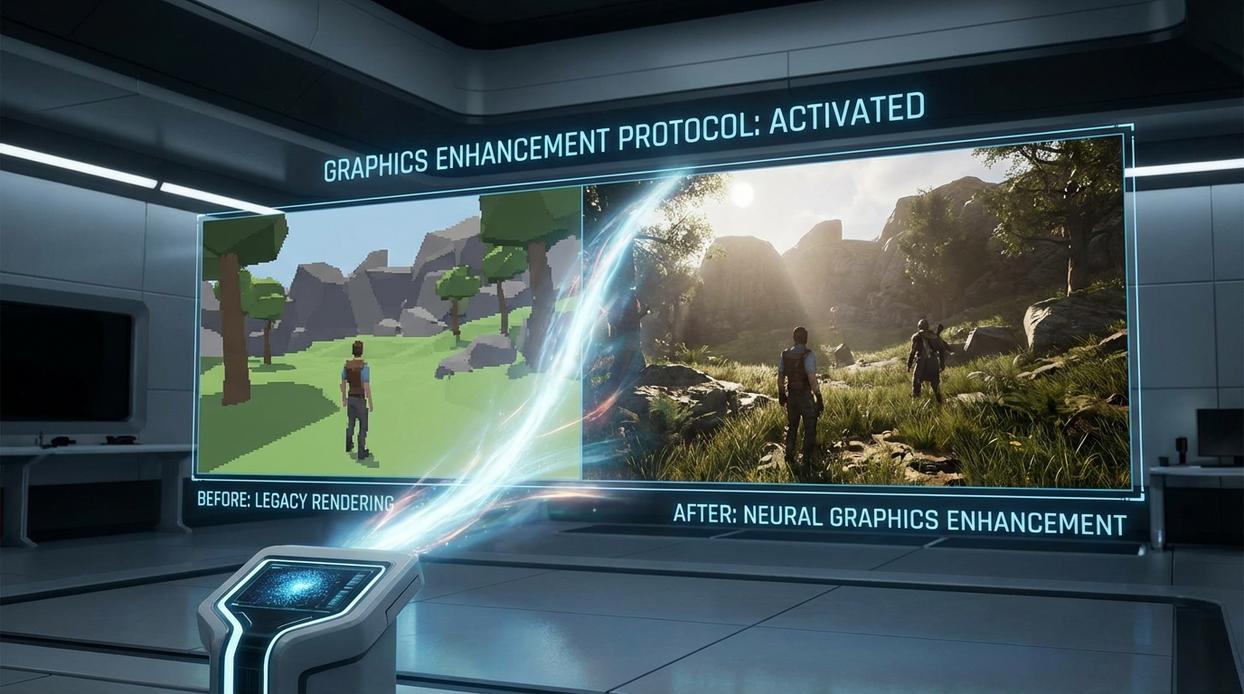
I still remember the first time I enabled path tracing in Cyberpunk 2077’s Overdrive Mode. Night City didn’t just look better—it felt tangible. Neon signs bounced light onto wet pavement, car headlights scattered naturally, and shadows softened realistically. That’s the promise of path tracing, often called full ray tracing: a rendering method that simulates how light actually behaves by calculating countless light paths in a scene. In simple terms, it unifies reflections, shadows, and global illumination into one physically accurate system (NVIDIA explains this as the most complete form of ray-traced lighting).
However, that beauty comes at a cost. Path tracing is notoriously demanding because your GPU must calculate millions—sometimes billions—of rays per frame. Even high-end cards can struggle to maintain smooth performance. Some argue it’s overkill and that traditional rasterization already looks “good enough.” Fair point. Yet once you see fully simulated lighting in motion, it’s hard to go back (it’s like switching from DVD to 4K HDR).
Fortunately, the community has stepped in. Modders have developed:
- Shader optimizations that reduce ray bounce counts
- Performance-focused texture packs
- Balanced presets within ray tracing game mods
If you’re running older hardware, pairing these tweaks with performance boosting mods for low end gaming pcs can reclaim valuable frames.
Finally, upscaling technologies like NVIDIA DLSS and AMD FSR are essential allies. They render at a lower internal resolution, then intelligently upscale using AI or spatial algorithms (AMD notes FSR can significantly increase FPS with minimal quality loss). As a result, path tracing becomes playable—not just a tech demo of the future.
Top Ray Tracing Mods and Enhancements in Action
Ray tracing is often sold as a magic switch. Flip it on, instant realism. Not quite. In fact, thoughtful tweaks usually outperform brute-force presets.
-
Minecraft: From Blocks to Beauty
Yes, it’s still cubes. But with SEUS PTGI or Continuum shaders, global illumination (realistic light bouncing between surfaces) turns a dirt hut into a sunset postcard. Add Patrix or Kelly’s RTX resource packs for physically based textures (materials reacting to light accurately). Some argue Minecraft “loses its charm” with realism. I disagree—variety is the charm (Lego didn’t stop at primary colors). -
Cyberpunk 2077: Pushing Night City’s Limits
Path tracing simulates full light paths for lifelike reflections. Mods that rebalance denoisers and sharpen reflections often look better than maxed sliders—and run smoother. -
The Witcher 3: Next-Gen Revisited
Community fixes reduce stutter and correct shadow pop-in. Official doesn’t always mean optimal. -
Control: A Benchmark for Realism
Tweak reflection resolution and contact shadows before installing ray tracing game mods. Pro tip: lower RT bounce count first for free FPS gains.
You’re past presets now. As a friend told me, “I thought max settings were the goal—turns out smart settings are.” Ray tracing—real-time light simulation that mimics how light behaves in the world—can look incredible, but it’s demanding (like asking your GPU to run a marathon in armor).
Tweak shadows first. Lower reflection bounces next. “I gained 20 FPS and noticed a difference,” another player said. That’s the balance.
With ray tracing game mods, you can fine-tune visuals beyond stock sliders, crafting a rig that feels cinematic yet.
Start with title. Test. Measure. Adjust.
Your setup? It’s closer than you think.
Level Up Your Mods and Performance Today
You came here to find smarter ways to enhance your gameplay, optimize your setup, and stay ahead of the latest modding trends—and now you have the roadmap to do exactly that. From performance tweaks to immersive upgrades like ray tracing game mods, you’ve seen how the right enhancements can completely transform your gaming experience.
The frustration of lag, outdated visuals, or underperforming hardware doesn’t have to hold you back anymore. With the right modding strategies and optimization techniques, your setup can run smoother, look sharper, and feel more responsive than ever.
Now it’s your move. Start upgrading your system with proven tweaks, explore trending mods that match your favorite titles, and fine-tune your configuration for peak performance. Thousands of gamers are already maximizing their rigs with battle-tested strategies—don’t get left behind.
If you’re ready to eliminate performance issues and unlock next-level immersion, dive into the latest guides, apply the recommended mods, and transform the way you play today.