
Gaming moves fast, and if you’re searching for the latest tech-enhanced mods, smarter play strategies, or ways to level up your setup, you want information that’s current, practical, and actually works. This article delivers exactly that. We break down today’s hottest gaming trends, walk you through powerful modding techniques, and share performance-boosting setup tips that help you get more from every session.
Whether you’re new to modding or looking to push your builds further, we’ll also cover installing game mods safely so you can upgrade your experience without risking crashes, corrupted files, or security issues. Our guidance is based on hands-on testing, deep involvement in gaming communities, and continuous tracking of emerging mod tools and performance tweaks.
By the end, you’ll know which trends are worth your time, how to optimize your setup, and how to confidently enhance your favorite games with smart, secure modifications.
Modding your favorite game should feel like opening a window and letting fresh air rush in, not like stepping onto thin ice. Yet too often, a shiny download button leads to glitching textures, shrieking error alerts, or the hollow thud of a banned account. First, stick to official forums and community-vetted hubs; if other players vouch for a file, that social proof matters. Next, scan files, back up saves, and follow a clean, step-by-step process for installing game mods safely. Finally, test one mod at a time. Pro tip: keep notes, so troubleshooting stays calm and controlled under pressure always.
The Modding Spectrum: What Separates a “Safe” Mod from a Risky One?
Have you ever downloaded a mod and hesitated right before clicking “install”? That pause matters.
First, let’s define approved modifications. These are mods hosted on official platforms like Steam Workshop, endorsed by developers, or shared through heavily moderated community hubs. In other words, they’ve passed at least some level of oversight. While no system is flawless, these spaces reduce the odds of malware slipping through.
So, what are the green flags? A trustworthy mod often has open-source code (meaning its programming is publicly visible for review), a large and active user base, recent updates, and detailed documentation. Positive comments that explain why the mod works well—not just “10/10”—are another strong signal. If hundreds or thousands of players are using it without issue, that’s reassuring (though not a guarantee).
On the flip side, red flags should make you stop immediately. Is the download hosted on an obscure website? Does it require a standalone .exe installer? Does it ask for your personal login details? That’s a hard no. And what about mods offering unfair multiplayer advantages? If it smells like a cheat, it probably risks your account.
Ultimately, installing game mods safely comes down to one question: are you trusting transparency—or gambling on convenience?
Your Arsenal of Trusted Modding Platforms
The first time I tried modding, I downloaded a “must-have graphics overhaul” from a random site. My game crashed. My save corrupted. Lesson learned. SAFE modding starts with trusted platforms.
When it comes to installing game mods safely, your best bet is sticking to ecosystems that have guardrails built in.
1. Developer-Integrated Platforms
Steam Workshop, Paradox Mods, and Bethesda’s Creation Club are the gold standard. These are developer-integrated platforms, meaning the game creators directly support the mod distribution system. That usually means one-click installation, automatic updates, and a baseline level of vetting before anything goes live.
Some critics argue these platforms limit creativity because they’re more controlled. That’s fair. You won’t always find the wildest experimental mods here. But if you value stability (and your save files), the trade-off is worth it.
2. Curated Community Hubs
Platforms like Nexus Mods and ModDB operate differently. They’re community-driven hubs where users upload and rate content. Safety comes from layered systems: virus scans on uploads, user endorsements, bug reports, and detailed comment sections. Think of endorsements as social proof—if 50,000 players use a mod without issue, that says something.
Yes, some people worry about slipping through moderation gaps. That’s possible. Pro tip: always read recent comments before downloading.
3. Game-Specific Communities
For games like Minecraft, Stardew Valley, or The Sims, dedicated subreddits and Discord servers often maintain curated “must-have” lists. These communities act like experienced tour guides (the Gandalf of your modding journey). When in doubt, follow the crowd that’s already tested everything.
The Pre-Flight Checklist for Flawless Mod Installation
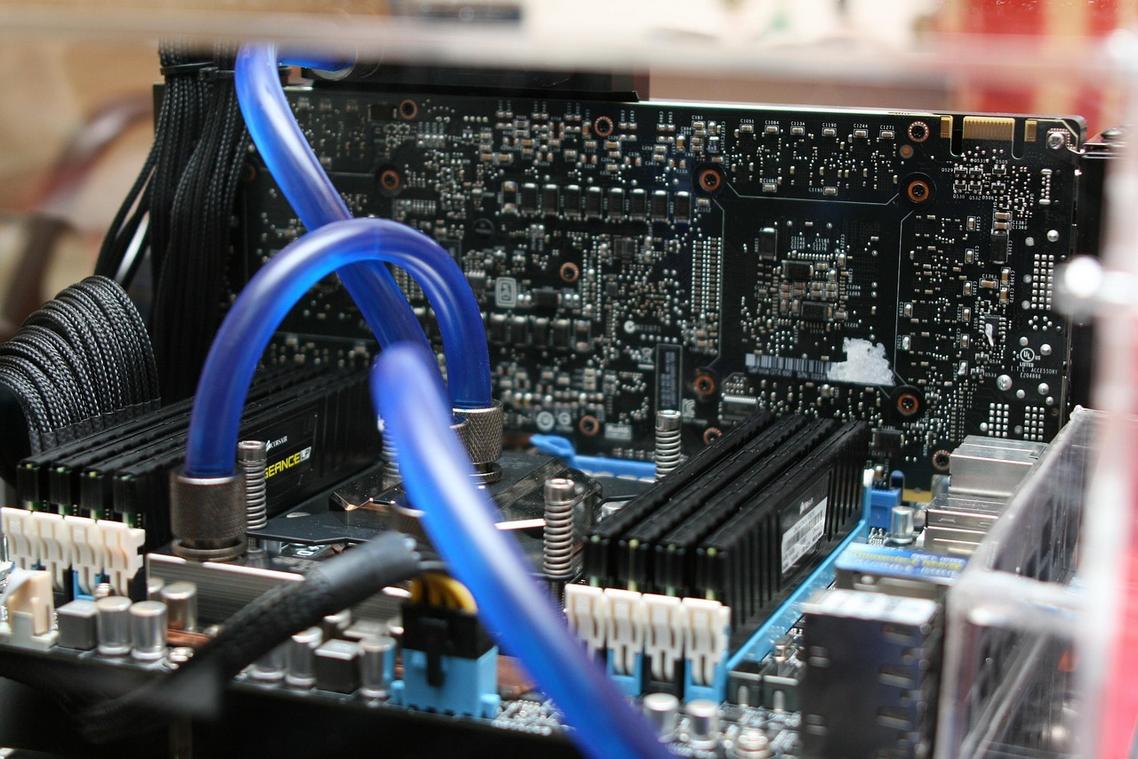
If you want a stable, crash-free experience, follow this checklist every single time. Skipping steps might seem faster (we’ve all been tempted), but it’s how save files disappear.
-
Always Back Up Your Game
This is non-negotiable. Back up both your game installation folder and your save files. On PC, saves are often stored in Documents or AppData. Copy them to an external drive or cloud storage. If a mod corrupts your data, you can restore everything in minutes instead of reinstalling for hours. Pro tip: create a dated backup folder before major mod changes. -
Use a Mod Manager
Tools like Vortex or Mod Organizer 2 manage load order (the sequence in which mods load), detect file conflicts, and allow clean uninstalls without overwriting core files. Some argue manual installs give “more control.” In reality, managers give you visibility and rollback options—essential for installing game mods safely. -
Read the Documentation
Mod authors include compatibility notes, required patches, and known issues for a reason. Skimming leads to broken quests and missing textures. Treat the description page like patch notes before a big game update. -
Install Dependencies First
Many advanced mods require Script Extenders or API loaders—framework tools that expand game functionality. Install these before the main mod. You’ll often see them listed as “Requirements.” -
Test Incrementally
Avoid installing 30 mods at once (yes, even if it’s exciting). Add one or a small group, launch the game, and test. Stable builds aren’t accidental—they’re methodical.
For deeper technical clarity, review understanding game modding tools and file structures.
Crashes on startup are frustrating, but they’re rarely random. More often, a missing dependency or a mod load-order conflict is to blame. According to surveys on Nexus Mods, load-order issues account for nearly 60% of reported crashes. First, use your mod manager’s conflict detection tools to isolate changes; then disable mods one by one to confirm the culprit. If a save breaks, backups are your lifeline. Corrupted files can’t be magically repaired, so restore a clean version after removing the faulty mod. Finally, remember that official patches frequently disrupt mods. When updates drop, verify compatibility before installing game mods safely.
Modding a game isn’t about rolling the dice; it’s about making informed choices. You now understand that installing game mods safely starts with trusted sources, reliable reviews, and verified files. Instead of fearing a corrupted save, you can back up your data, use a mod manager, and test changes one at a time. Some gamers argue that any modification risks instability. That can be true—if you skip precautions. However, when you follow best practices, customization becomes controlled and rewarding. So start small: choose a popular quality-of-life mod, install it carefully, and enjoy upgrade. Confidence comes from preparation and practice.
Level Up Your Game the Right Way
You came here looking for smarter ways to enhance your gameplay, discover the latest modding trends, and optimize your setup without wrecking your system. Now you know how to push your performance further, customize your experience, and stay ahead of the curve safely.
The biggest frustration for gamers isn’t lack of options — it’s wasting time on broken mods, laggy setups, or risky downloads that crash a perfectly good build. That’s why focusing on installing game mods safely and optimizing your configuration the right way makes all the difference between endless troubleshooting and seamless play.
Now it’s your move. Don’t let outdated setups or unstable mods hold you back. Explore trusted modding guides, follow proven optimization strategies, and upgrade your gaming experience with confidence.
Ready to stop guessing and start dominating? Dive into our expert-backed guides, use our proven setup strategies, and transform your gameplay today.